What are rSOF and rContract?
Enqlare Laytime can read your SOFs and contracts for you. AI pulls out the information a laytime calculation needs, so you spend less time retyping and more time checking the result.
This article explains the two AI features, rSOF and rContract, and how rSOF differs from eSOF.
Good to know:
rSOF and rContract are part of Laytime Pro AI. If you don't see Read SOF with AI or Read contract with AI on your voyage, contact your Enqlare account manager to get access.
What is rSOF?
rSOF is a Statement of Facts read by AI. The "r" stands for read. Upload the SOF you received from the port agent, and AI extracts the timepoints and periods for you:
- Key timepoints, such as arrival, NOR tendered, berthed, loading commenced and completed, and sailed.
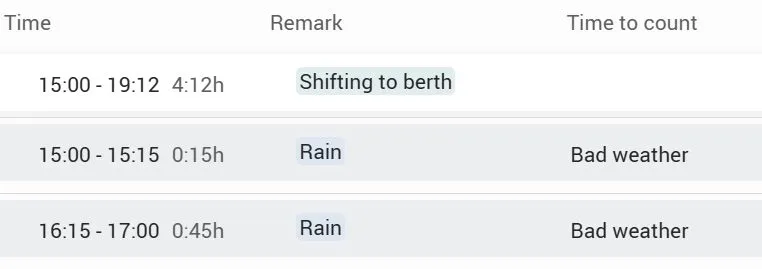
- The port log, with every event and period from the SOF. Each one gets a category, such as Weather delays, Waiting, Maneuvering or Cargo operations.
rSOF works with SOFs from any agent, whatever the layout. On the voyage, an rSOF is marked with a blue rSOF label.
What is rContract?
rContract is a contract read by AI. Upload the documents that hold your laytime terms, such as a charter party, a clean recap, or a sales or purchase contract. AI extracts the terms and uses them in your laytime calculation:
- Laytime terms filled in for you, such as the load or discharge rate, terms like SSHEX, and demurrage and despatch rates.
- All laytime clauses in one place. Open the AI contract summary to see every port-related laytime clause from the contract.
- Laytime start and end calculated. Using the contract and the SOF, AI works out when laytime commenced and when it ended. Click See AI reasoning to check how.
How is rSOF different from eSOF?
Both get the SOF into your laytime calculation as structured data, so you don't have to retype it. The difference is where the data comes from.
| eSOF Digital SOF | rSOF SOF read by AI |
|---|---|---|
Where it comes from | The agent's port log in Enqlare Port Calls | Any SOF document you receive, as a PDF |
When to use it | Your port agent works in Enqlare Port Calls | For all other agents |
How to add it | Click Connect eSOF on the voyage | Click Read SOF with AI on the voyage |
How the data is created | Shared directly by the agent. Nothing is read by AI. | Read and categorised by AI in 2–4 minutes |
Staying up to date | Refresh anytime for the latest data from the agent | Based on the document you uploaded |
Included in | Laytime Pro | Laytime Pro AI |
Pro tip: Use eSOF wherever your agent works in Enqlare Port Calls, and rSOF for everyone else. You can create a laytime from either one, and both work the same way in the calculation.
You stay in control
AI suggests, you decide. Every AI result can be reviewed and edited before it goes into a calculation or a claim:
- Check and correct the rSOF before you save it.
- Change any laytime term that was filled in from the contract.
- Read the AI reasoning behind laytime start and end, and change the times if you disagree.
Note:
AI can make mistakes. Always review the extracted data and the laytime result before you send or accept a claim.
Get started
Learn the basics
What are rSOF and rContract?dadsd
What AI reads for you, and how rSOF differes from eSOF.
Step by step
Read an SOF and a contract with AIREADAN SOF
Upload the documents and check what AI extracted. Create a laytime with rSOF and rContractCreate a laytime with rSOF and rContract
Terms filled in, laytime start and end, and laytime rules.
Check claims
Compare with AICompare with AI
See what differs from the counterparty's claim, and what it's worth.