Contact lists
Contact lists are ideal for managing repetitive communication, whether you’re updating the same group of people across multiple Port Calls or working frequently with the same suppliers. By creating and saving contact lists, you can quickly add them to a Port Call, ensuring everyone involved knows exactly who to reach out to. They’re also useful when sending email updates, helping you include all the right people and avoid missing anyone important.
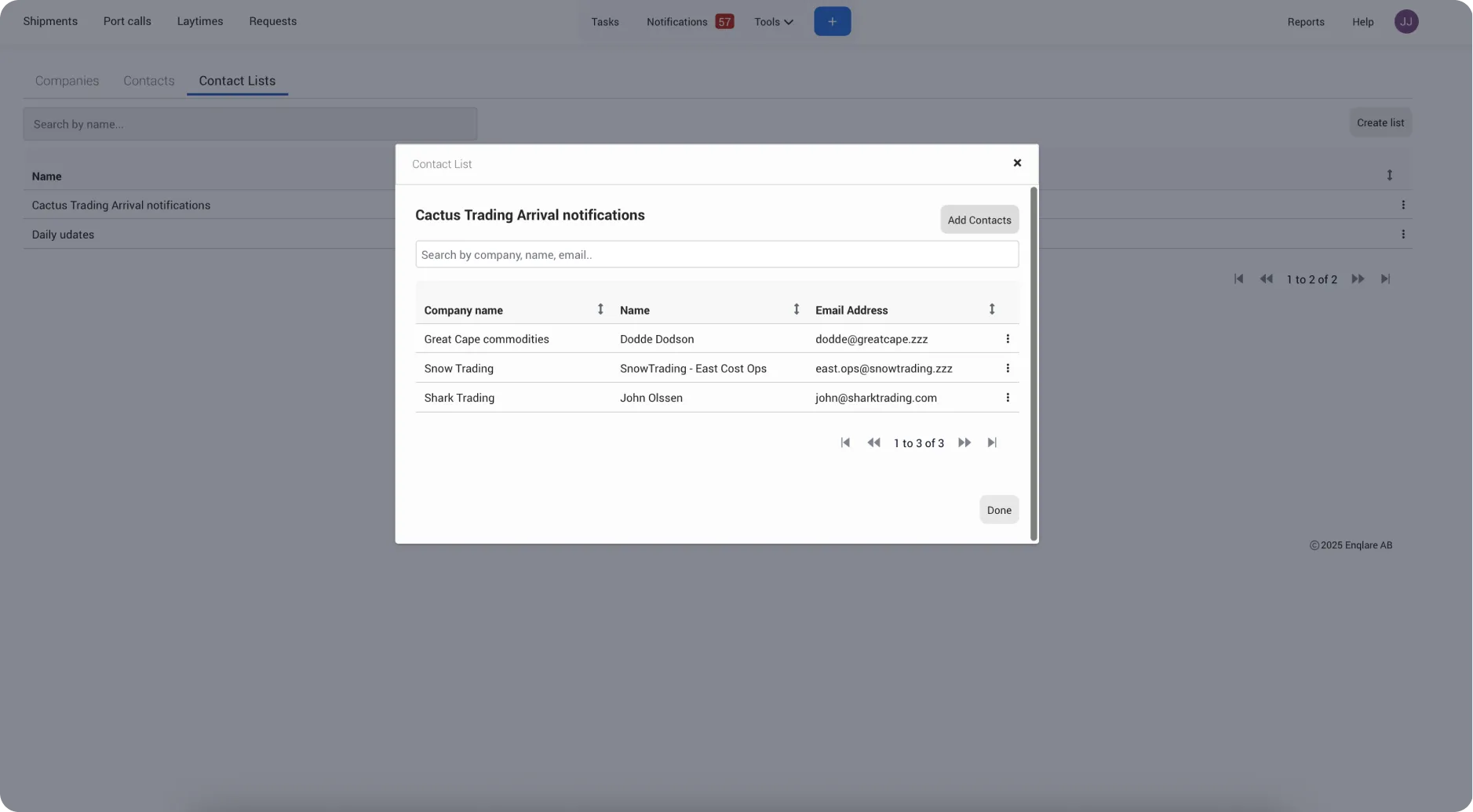
Create contact list
Navigate to Tools -> Contacts -> Contact list tab
Click Create list
Name the list
Start typing and select from the suggested options. The system will suggest email addresses from the list of Contacts already added.
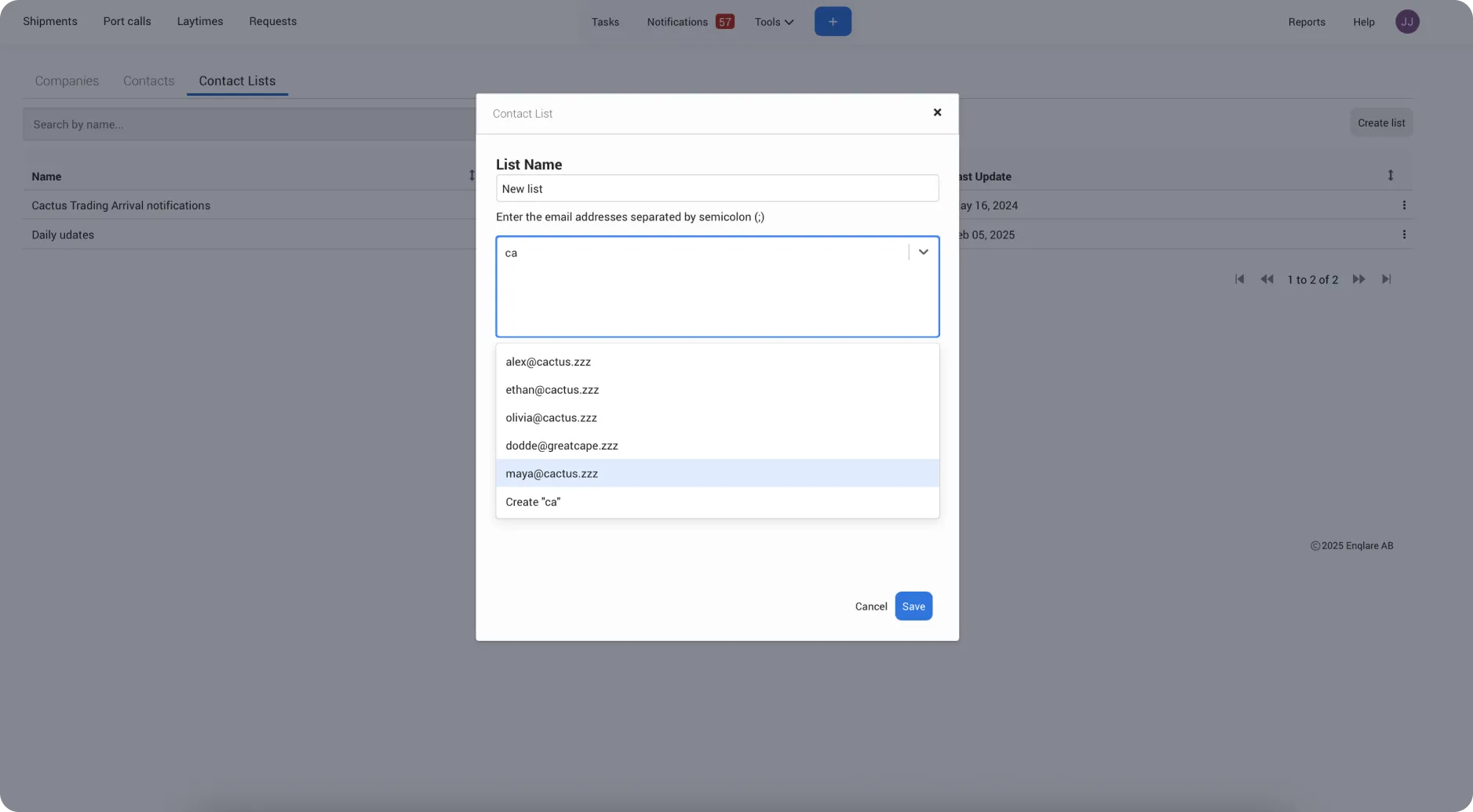
Click Save
Add a Contact list to a port call
Navigate to a port call -> instructions tab
Click Create list
Select one or multiple Contact lists
Click Save