Read an SOF and a contract with AI
Upload an SOF and a contract to a voyage and let AI read them. When you're done, you'll have an rSOF and an rContract ready to use in a laytime calculation.
Note:
Upload SOFs and contracts as PDF files. Support for more file formats is planned.
Read SOF with AI
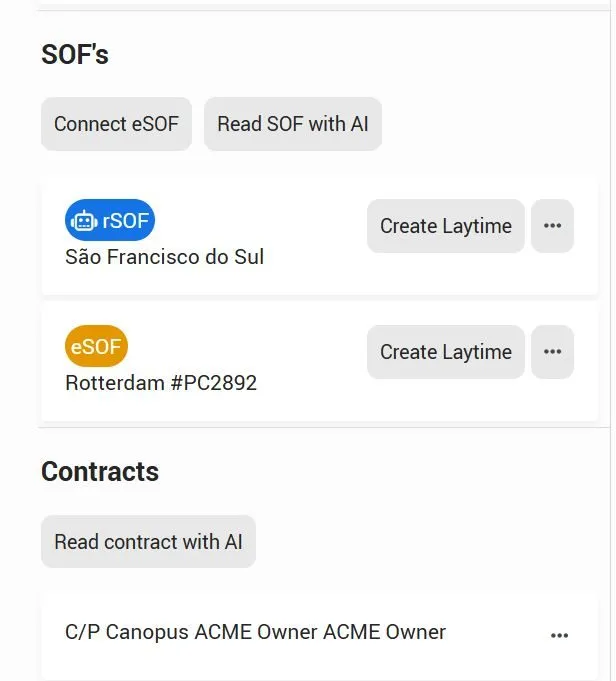
Open the voyage. In the SOF's section, click Read SOF with AI.
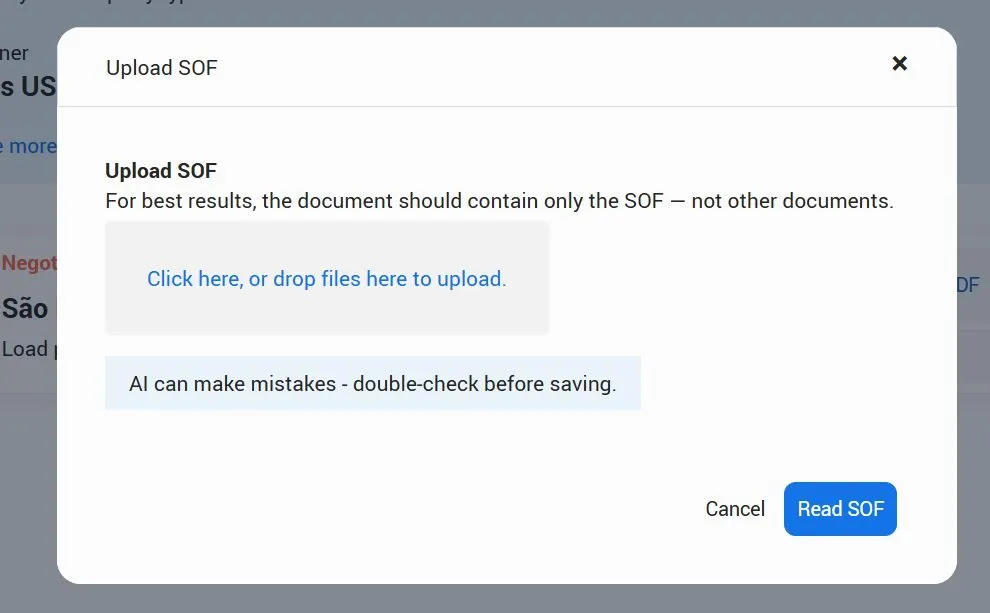
In the Upload SOF popup, click the upload area or drop your file into it. Then click Read SOF
Pro tip:
For best results, upload a file that contains only the SOF, not other documents.
Reading takes 2–4 minutes, depending on the size of the SOF. When it's done, the SOF appears in the SOF's section with a blue rSOF label.'
Review the rSOF
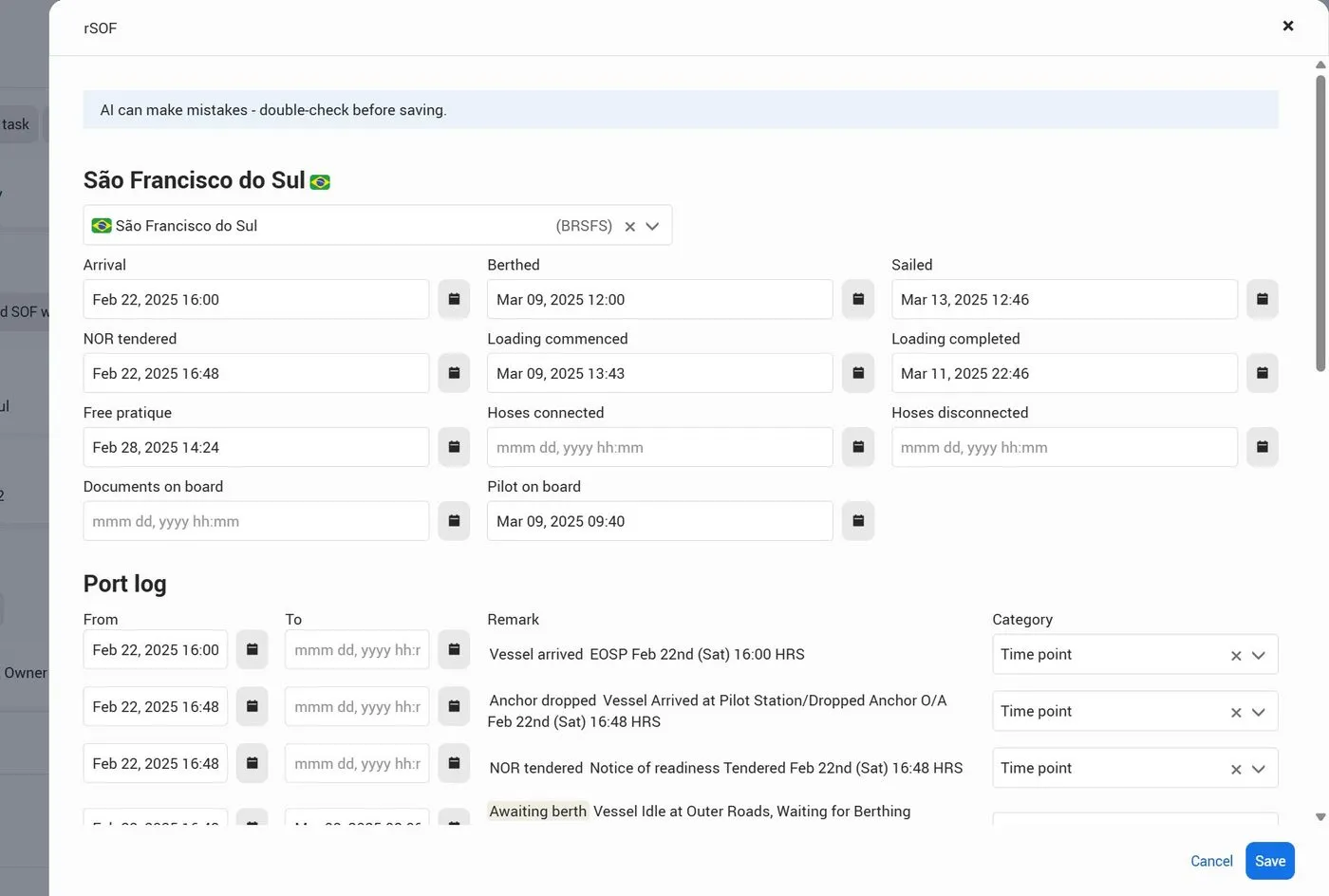
Open the rSOF to check what AI extracted. It has two parts:
Key timepoints | Arrival, NOR tendered, free pratique, pilot on board, berthed, loading commenced and completed, hoses connected and disconnected, documents on board, and sailed. If a timepoint isn't in the SOF, the field is left empty and you can fill it in. |
|---|---|
Port log | Every event and period from the SOF, with From and To times, the Remark from the SOF, and a Category. |
Correct any date, time or category that doesn't match the SOF, then click Save.
Read contract with AI
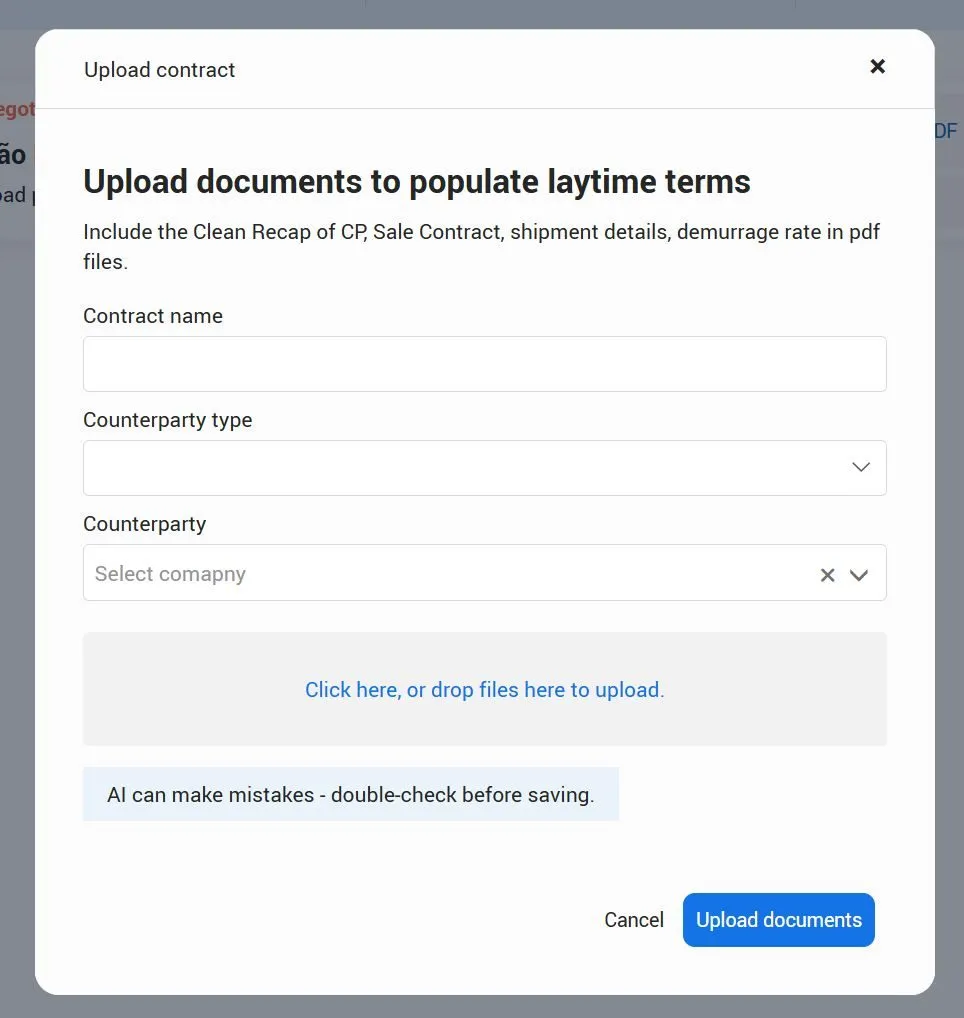
In the Contracts section, click Read contract with AI . In the Upload contract popup, fill in the details and add your documents:
Contract name | Enter a name you'll recognize on the voyage, for example C/P Canopus ACME Owner. |
|---|---|
Counterparty type | Select the type of counterparty for this contract. |
Counterparty | Select the company from your Master data. If it's not listed, add it to your Master data first. |
Documents | Click the upload area or drop your files into it. You can upload several files. |
Click Upload documents. When reading is done, the contract appears in the Contracts section.
Which documents to upload:
Include the documents that hold your laytime terms: the clean recap of the C/P, the charter party, the sales or purchase contract, shipment details and the demurrage rate.
What's next
Your rSOF and rContract are ready. Continue with Create a laytime with rSOF and rContract. Create a laytime with rSOF and rContract.