Linked Port calls
The Linked Port calls feature is designed for situations where a client hires you to manage multiple Port calls under one appointment. As an agent, this helps you keep everything connected and easy to follow.
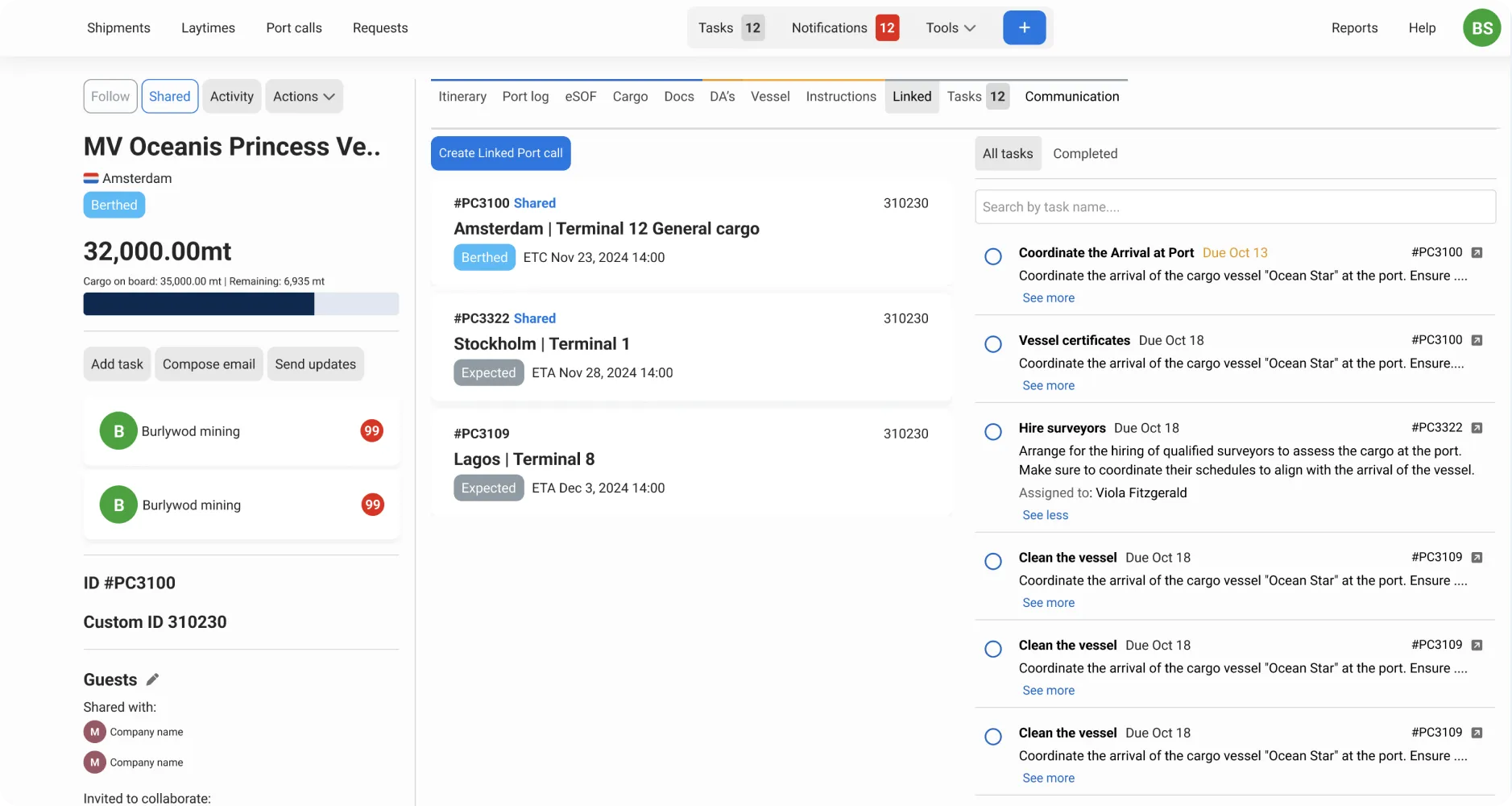
With Linked Port calls, you can:
- Quickly access all linked Port calls from one place.
- Track tasks across every Port call on a single page.
- Share one or more of the linked Port Calls with another company. When you do, they’ll see the Linked tab showing only the Port Calls you’ve shared with them, making it easy to follow the connected calls in a single view.
- Easily identify linked Port Calls in your overviews, so you can always see at a glance which calls belong to the same appointment.
How to create a Linked Port call?
Open the Port Call you want to link the new Port call to.
Click the Actions menu.
Click Create Linked Port call.
Enter the required Port call details.
Click Save.
Go to the Linked tab to see both Port calls connected.
Note: A Linked Port Call can only be created from inside an existing Port Call. Two Port Calls created separately cannot be linked afterwards.
If you want to add a third (or more) Port Call, you can create it from any of the already linked Port Calls. It will automatically be connected to the whole group.