Create SOF
3 min
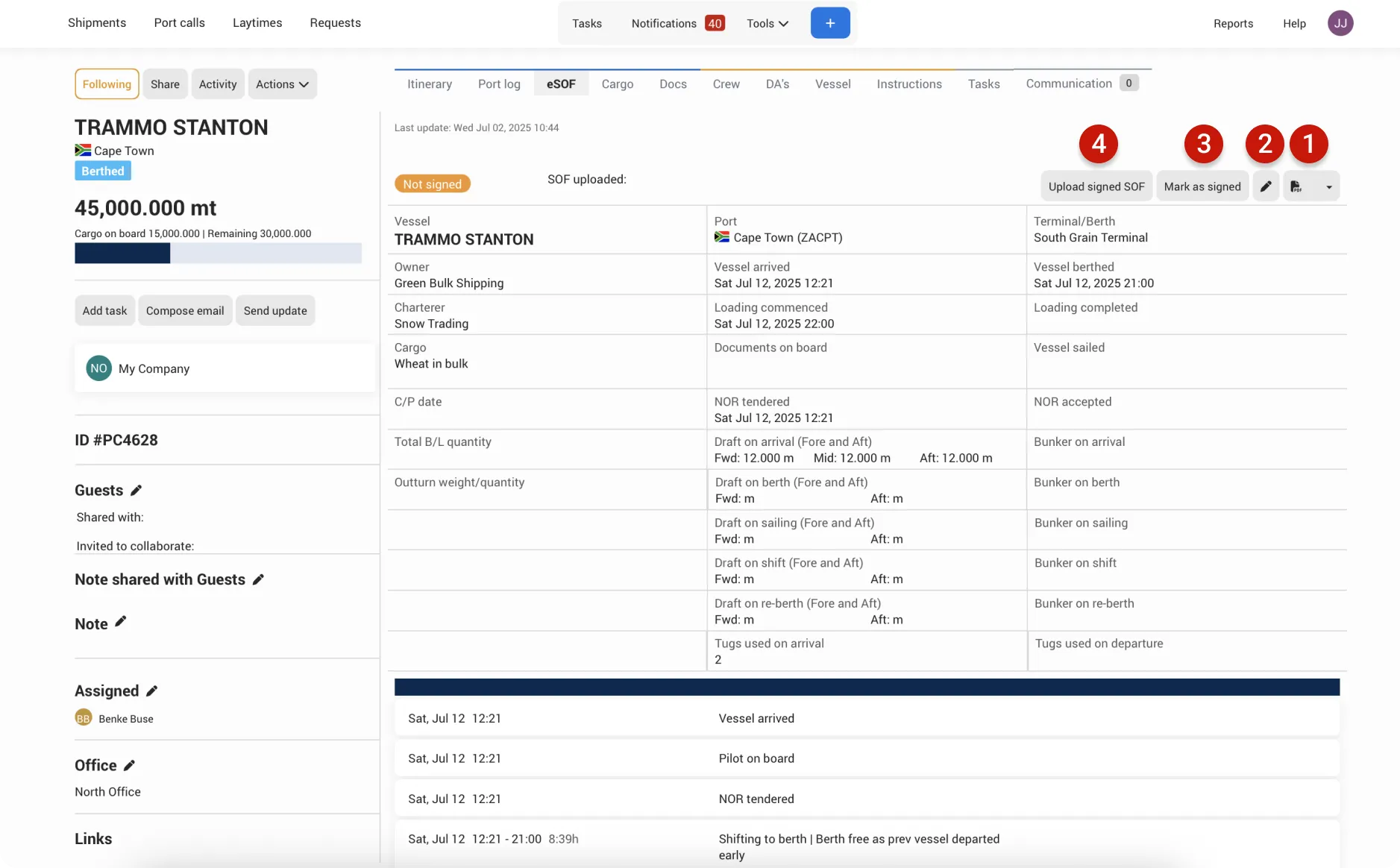
The eSOF tab is your space to manage the Statement of Facts. Here, you can view the SOF built from your port log entries, add or update signatures, and complete any additional fields.
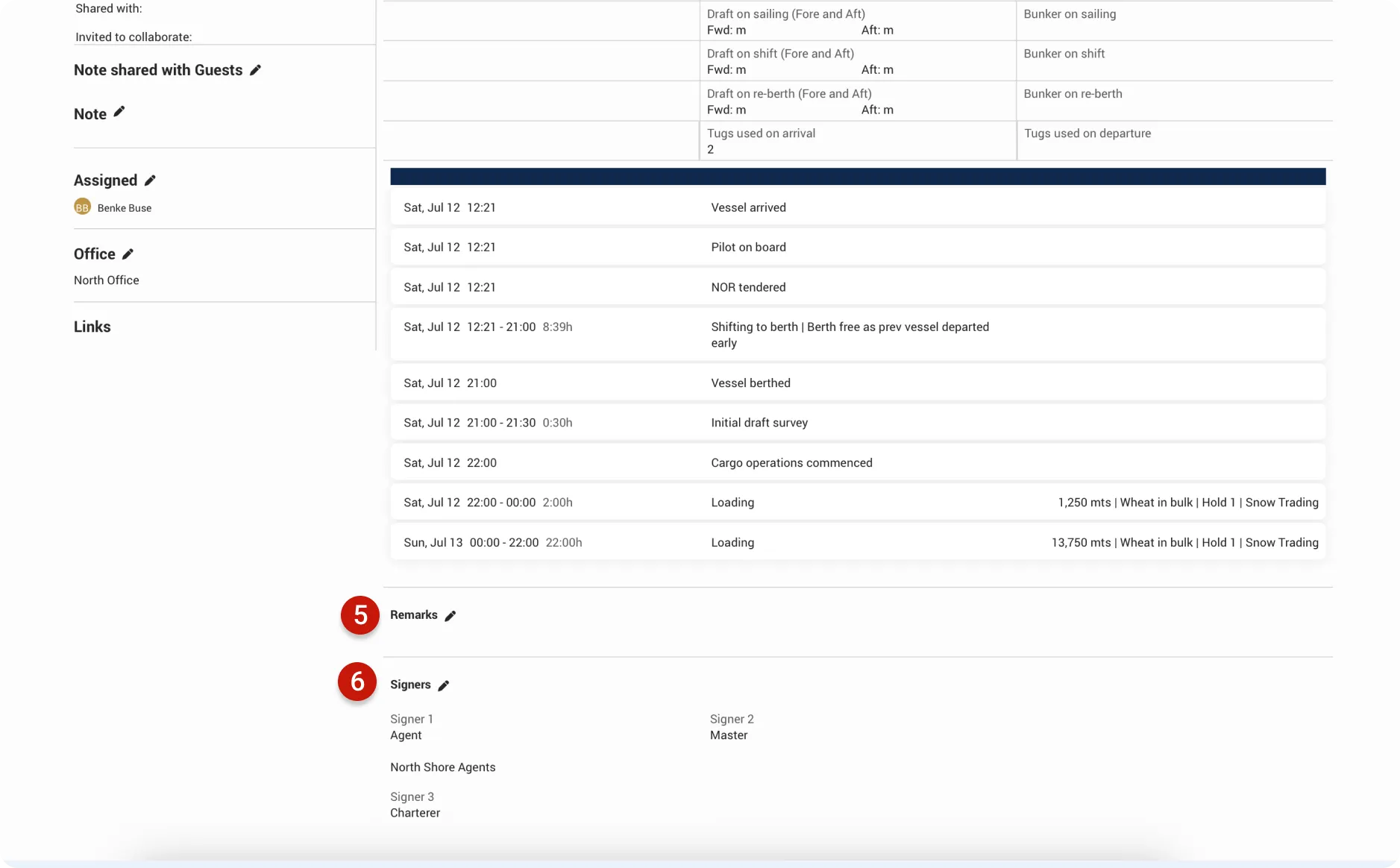
As you update your Port Call and log events, the SOF fills in automatically. Use this space to review what’s been captured, see what’s missing, add remarks, and include signers when needed.
When you’re ready, simply click the PDF icon to generate the SOF as a PDF, using one of the default templates provided.
eSOF tab
- PDF icon: Generate your SOF as a PDF. Choose from five default styles — each one automatically includes your company logo and branding.
- Edit: Update or add any additional information for the SOF. In the edit popup, you can adjust details such as: - C/P date - Total B/L quantity and Outturn weight/quantity - Tugs used - NOR accepted date and time - Drafts on arrival, berth, sailing, shifting, and re-berthing - Bunkers on arrival, berth, sailing, shifting, and re-berthing This ensures your Statement of Facts stays accurate and up to date.
- Mark as signed: Change the SOF status to “Signed.” This helps keep your reports accurate and ensures the status is shared with your company or clients.
- Upload Signed SOF: Upload the signed document to keep everything stored in one place. If the laytime is shared with your clients, the document will also be visible to them.
- Remarks: Add any remarks from the Master or others.
- Signers: Add all required signers for the SOF.