Share Port call
Whether you want to give clients quick, no-login access or collaborate with them directly on Enqlare, you have flexible sharing options. You can send an anonymous link for easy viewing, or invite them onto the platform for full access to documents, chat, and other tools.
- Share an anonymous link: Generate a unique, non-searchable URL that you can send to clients. This lets them follow the Port Call and view Port Log activity—no login required. Keep in mind that anyone with the link can view it.
- Share on platform: Invite the client directly on Enqlare. They’ll just need to have their own Enqlare account. Once invited, they’ll get access to the digital SOF for Laytime processing, shared documents, and a dedicated chat channel with your team.
Share an anonymous link
Anonymous links are helpful when you want to give your client easy, real-time access to vessel operations—without sending frequent updates. Clients can view the Port Call at any time through the link. You can turn the link ON or OFF at any point, giving you full control over access.
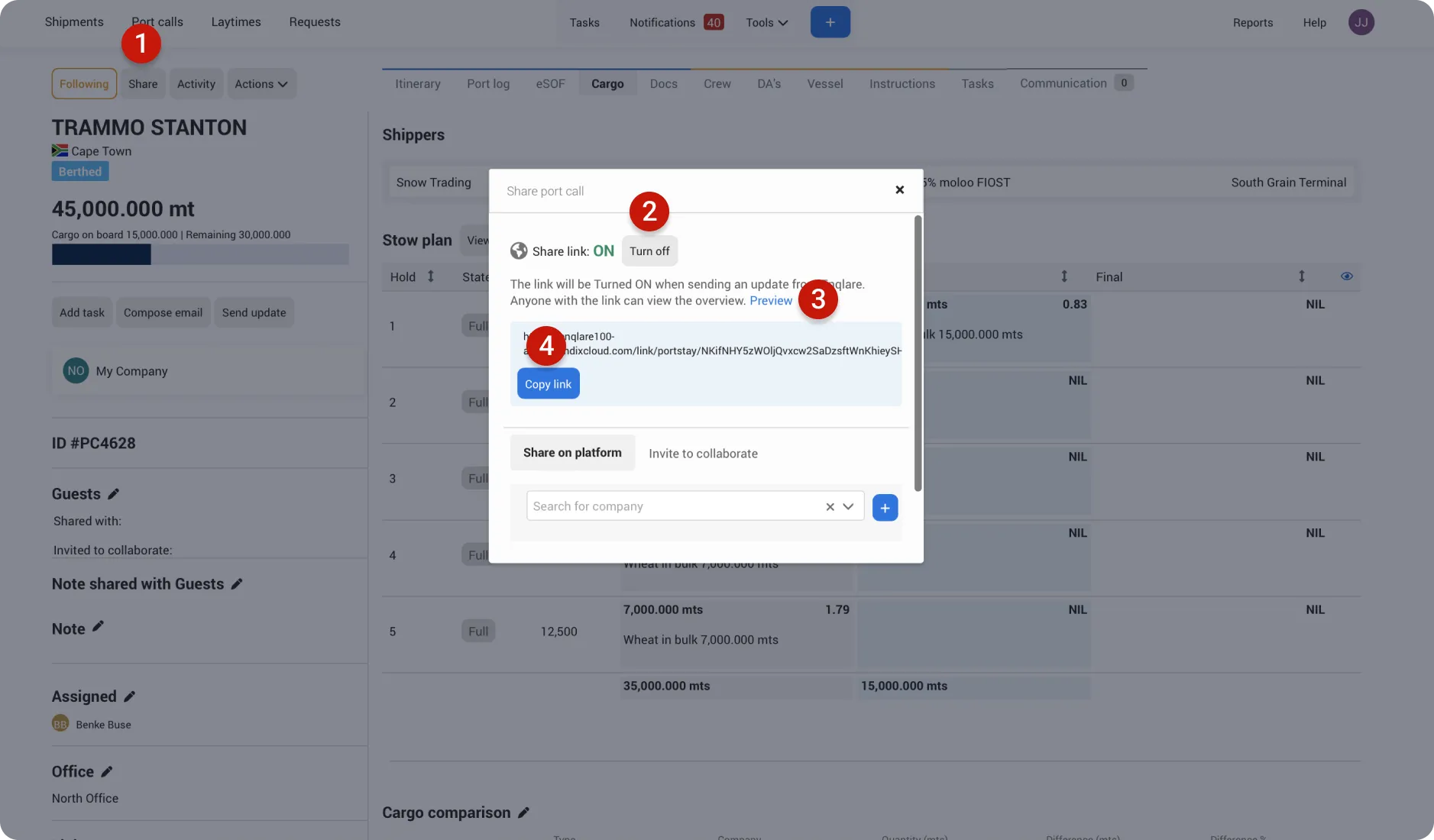
Click Share
Click Turn ON if the link is OFF
Click Preview to see what the anonymous link looks like before sharing it with your client. This helps you confirm the information shown is accurate and ready to be shared.
Click Copy link, then paste it into an email or chat channel to share it with your client.
Share on platform
Sharing a Port Call on the platform is ideal if your client wants to digitally process port call data. It allows them to use the eSOF for fast and accurate laytime calculations, access shared documents, communicate via a dedicated chat channel, and leverage the data in reports to uncover insights and trends.
Click Share
Search and select for the company name you want to share the Port Call with.
Click +
What does the company I share with see?
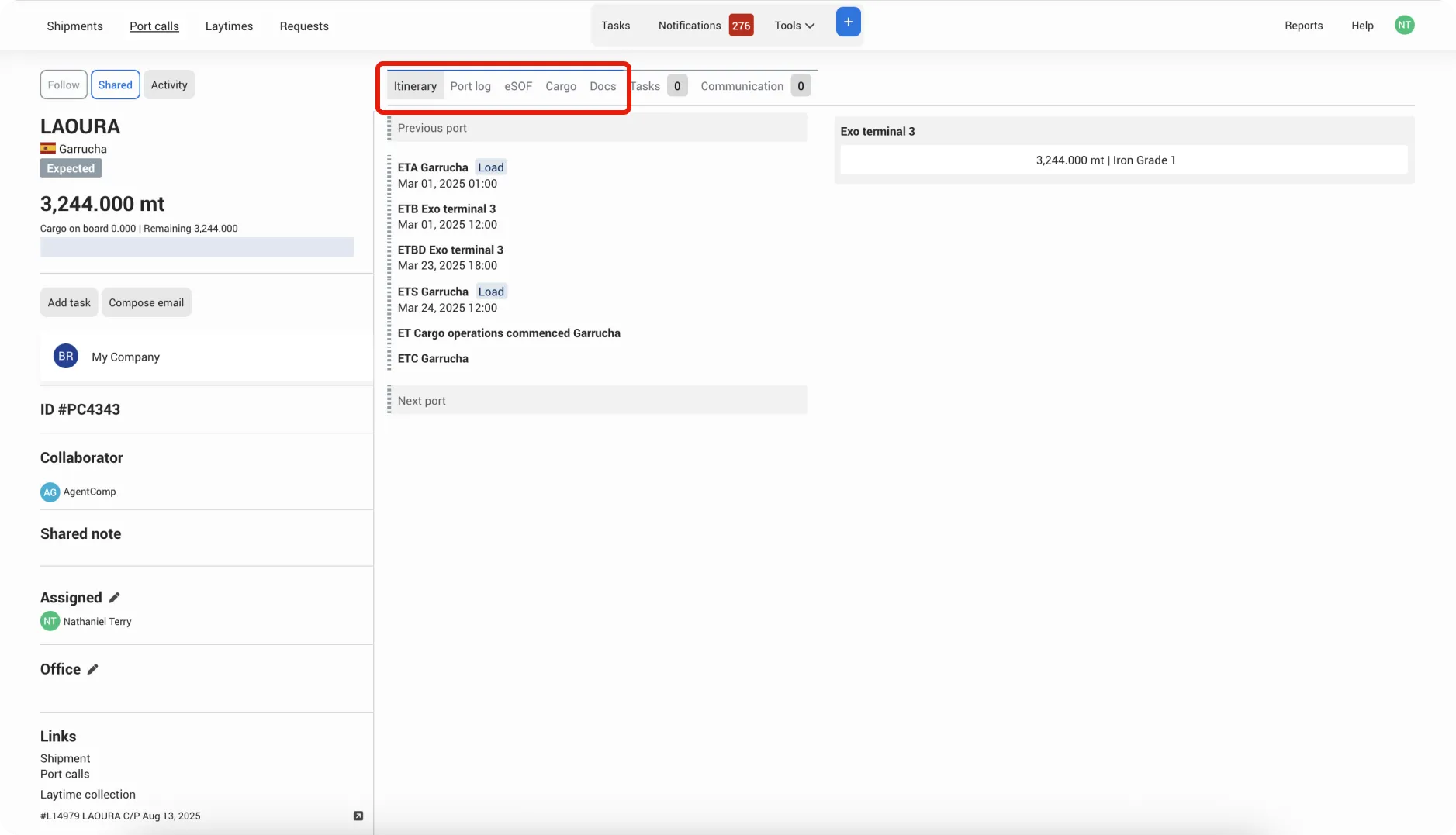
When you share a Port Call, the company you share with receives read-only access to the blue-coded tabs: Itinerary, Port Log, eSOF, Cargo, and Docs.
Even with read-only access, they can still upload and share documents or attachments with you in the Docs tab.
How to add companies to the list for sharing?
To connect with your clients on Enqlare, let us know which companies you want to share with. To protect everyone’s data, we manually connect companies and make sure all information stays secure.
Simply send us an email at [email protected] with the company name, and we’ll add them to your list. Once connected, you’ll be able to share Port Calls and send invites directly.
What’s the difference between Sharing and Inviting to Collaborate?
- Sharing: Gives another company read-only access. They can view the limited tabs from Port Call, and cannot make any changes.
- Invite to Collaborate: Grants edit access. The invited company can edit all information and work together with you directly on the Port Call.