Compare with AI
When the counterparty sends their laytime claim or counter, Compare with AI checks it against your own calculation. It filters out differences in layout and formatting and shows the differences that change the result, with the money impact of each.
Attach the counterparty's result
Attach the counterparty's result
Open the laytime. Under Received from and the counterparty's name, click Attach result and upload their calculation.
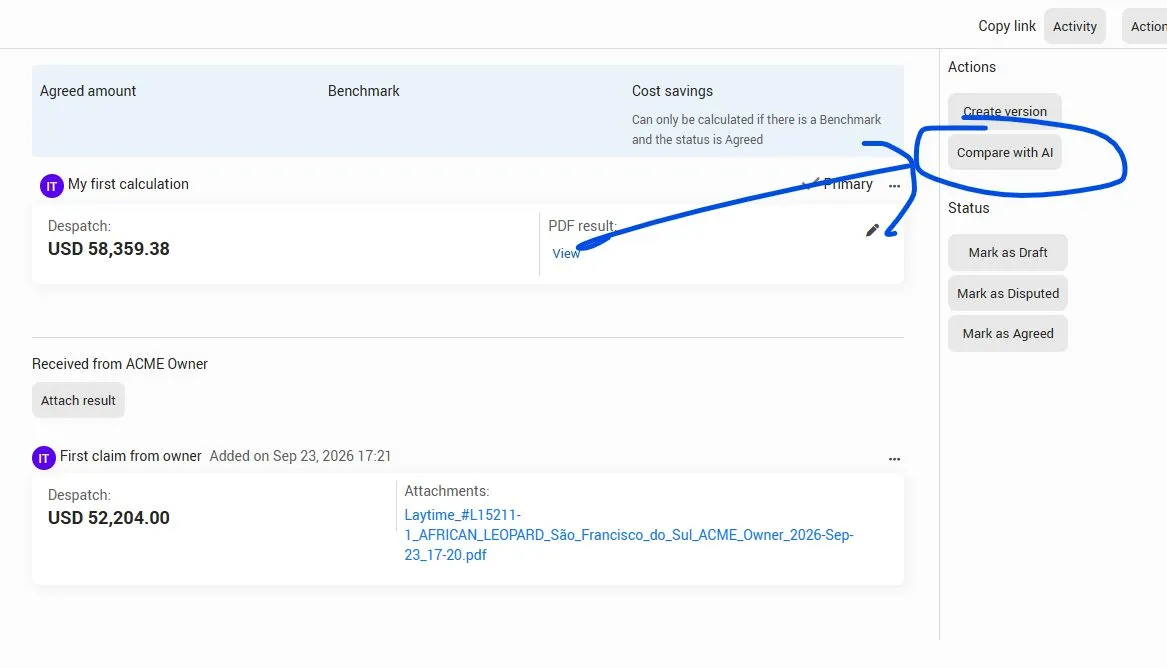
Click Compare with AI
In the Actions panel on the right, click Compare with AI.
Select the results and run
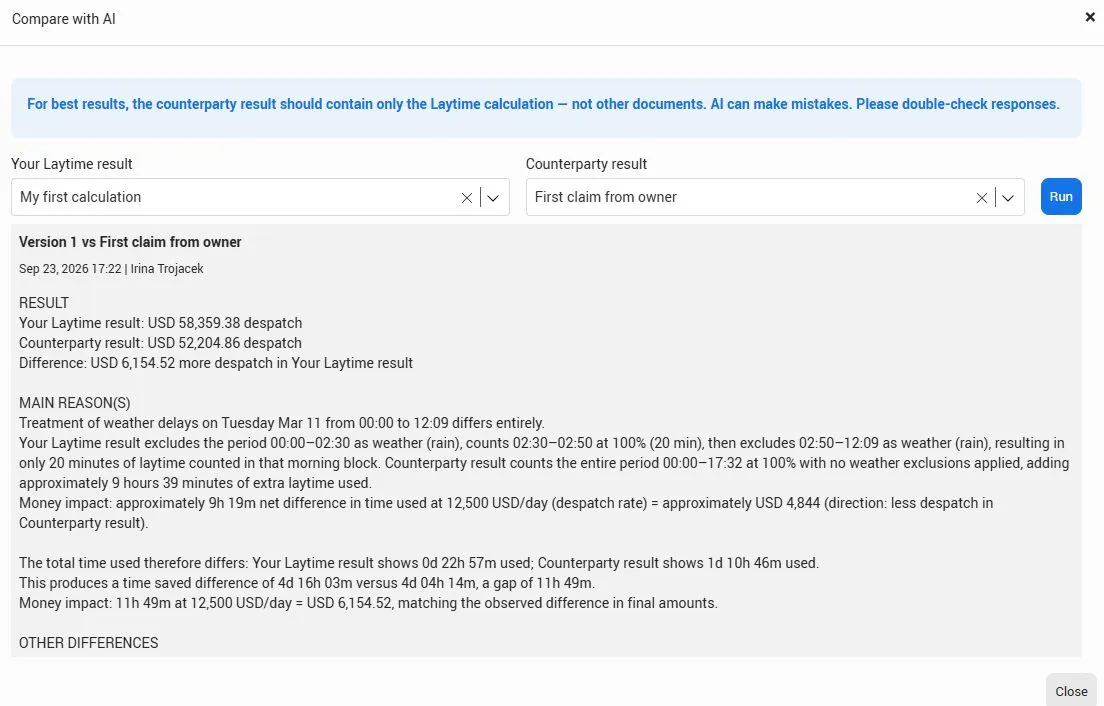
Your Laytime result | Select your own calculation. |
|---|---|
Counterparty result | Select the claim or counter you attached. |
Click Run.
Pro tip:
For best results, the counterparty result should contain only the laytime calculation, not other documents.
Review the result
The comparison is set out in three parts:
Result | Both final amounts and the difference between them. |
|---|---|
Main reason(s) | What causes the difference, for example a weather period that one side excludes and the other counts, with the time and money impact of each. |
Other differences | Smaller differences that don't change the result much. |
Note:
AI can make mistakes. Check the main reasons against both calculations before you reply to the counterparty.