Creating a Statement of Facts (SOF)
A clean SOF means fewer follow-up questions from clients, faster approvals, and less time spent correcting errors after the fact. This guide shows you the fastest way to get it right.
How Enqlare SOF works
The system does the heavy lifting — your job is to keep it accurate as the port call unfolds.
Itinerary time points are created automatically when the port call is created. They cover the main milestones — arrival, berthing, departure. They start as estimated. As each one happens, edit it, enter the real time, and mark it as actual. The system updates the SOF for you. At the end of the port call all itinerary time points need to be set as Actual.
Port log events cover everything else. Any event not already in the itinerary needs to be added in Port log — this is where you build the detail that makes your SOF stand out.
To add an event:
- Click Add event
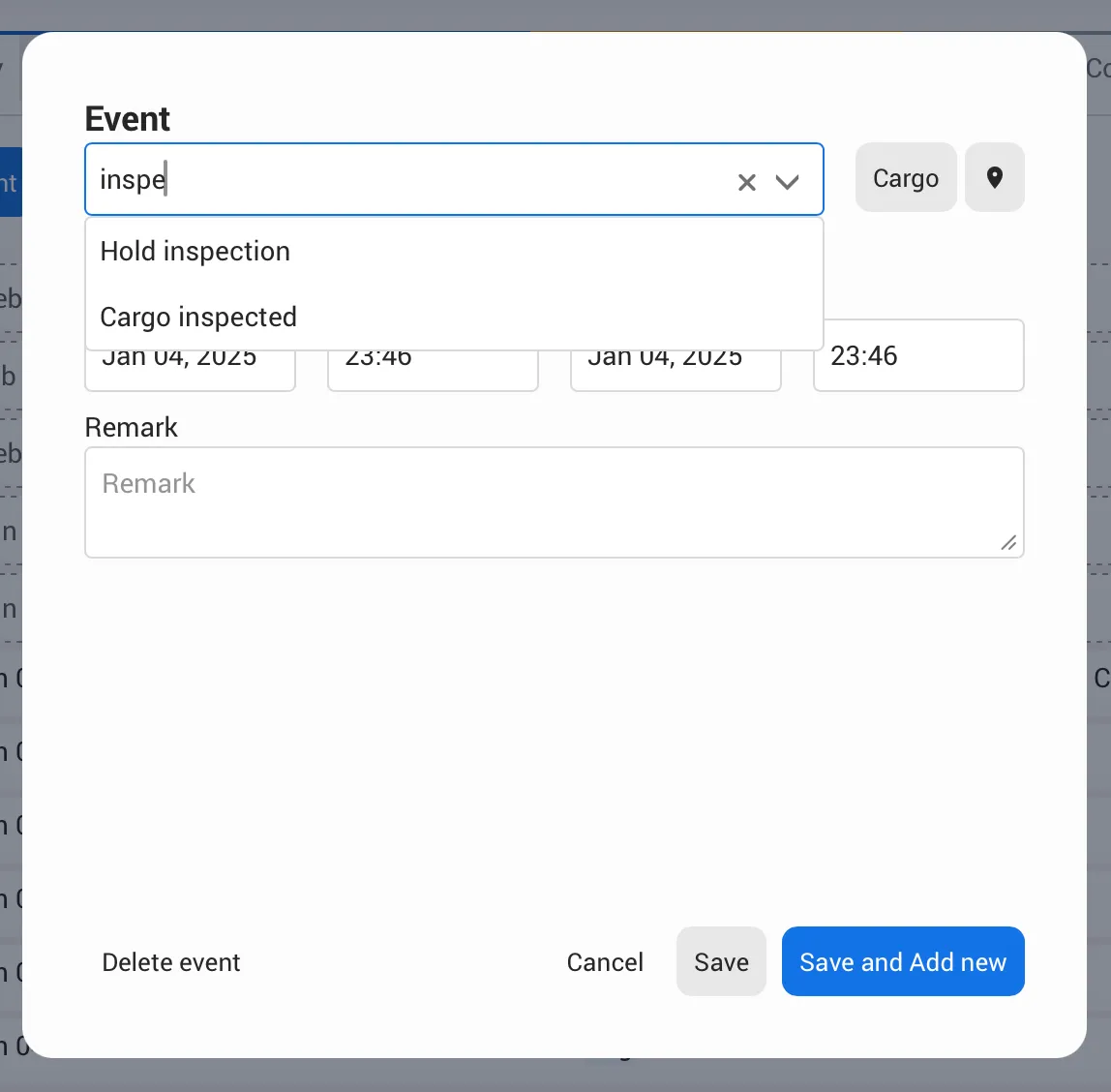
- Start with typing the event name
- Select the correct name from the suggestions
- Enter the date and time
- Add a remark if needed
- Click Save
When everything is entered, fill in tugs, bunker, and remarks at the bottom — then Create SOFCreate SOF.
Two habits that will save you time
Small mistakes in the port log create big headaches later — edits, client questions, disputes. These three habits take seconds to follow and will save you from all of that.
1 — One event per entry
Even if two events happen at the same time, each one gets its own entry. It takes a few extra seconds now — and saves you from a messy SOF that clients question later. Use Save and Add new to move quickly when adding several events in a row.
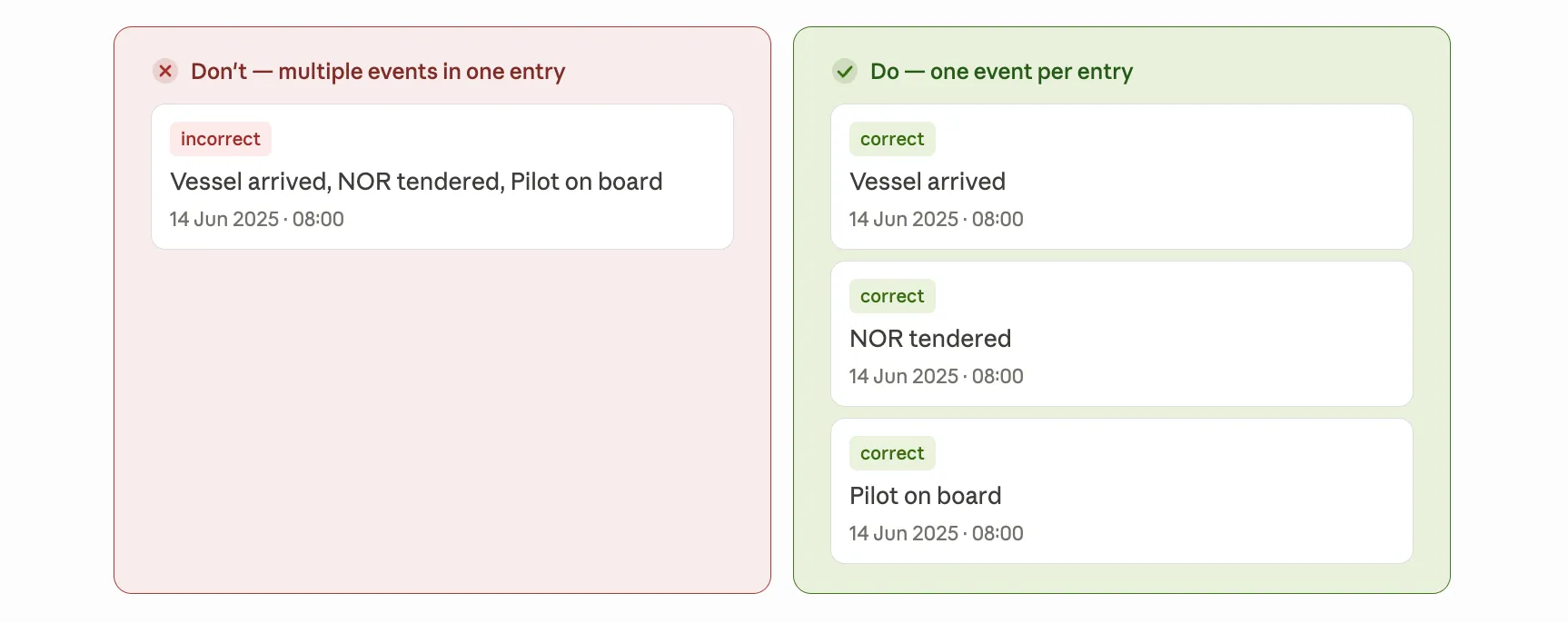
Quick check: if your remark has a comma or the word "and" — split it.
2 — Always select Event name from the list
When you type in the Event name field, the system shows matching suggestions. Always click one — don't type and save without selecting.
Entries saved without a selection can't be structured properly, which means the SOF may be incomplete when you go to generate it — and you'll have to go back and fix it.
Can't find what you need? Try a different search word, or check the common events list below. Still nothing — send an email to [email protected]
Examples of SOF created on Enqlare
Not sure what events name to search for? You can browse every available event in the platform under Tools → Events.
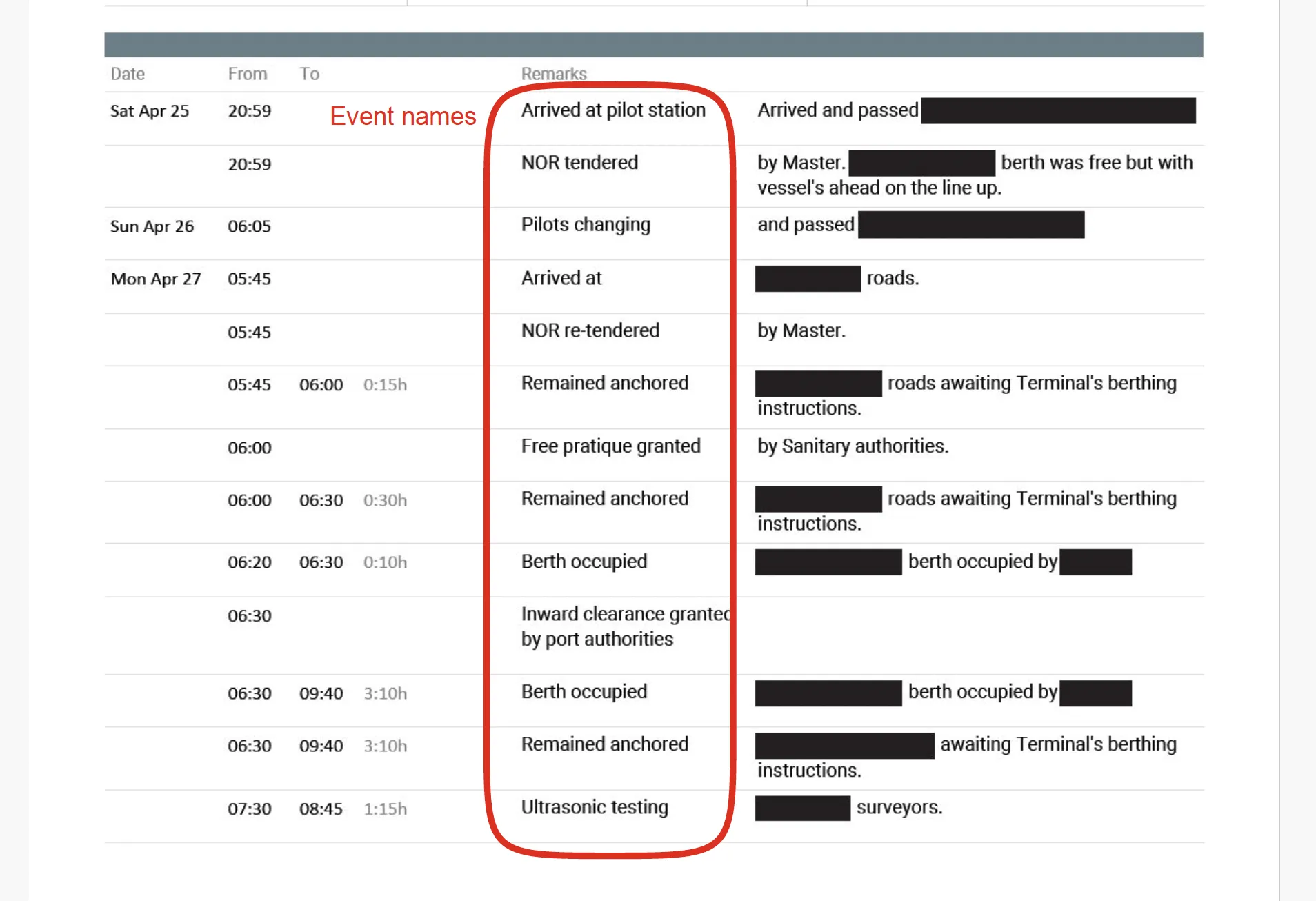
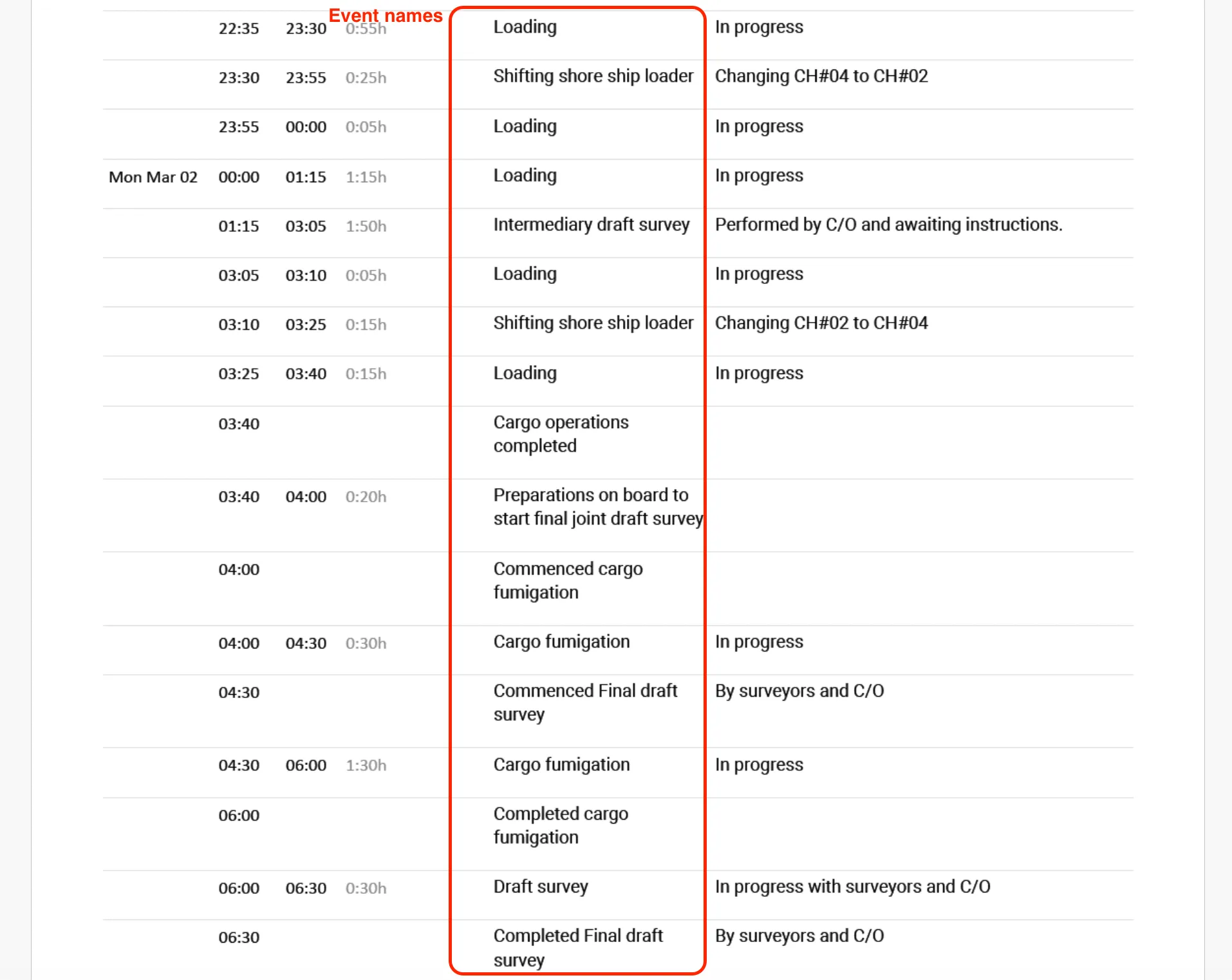
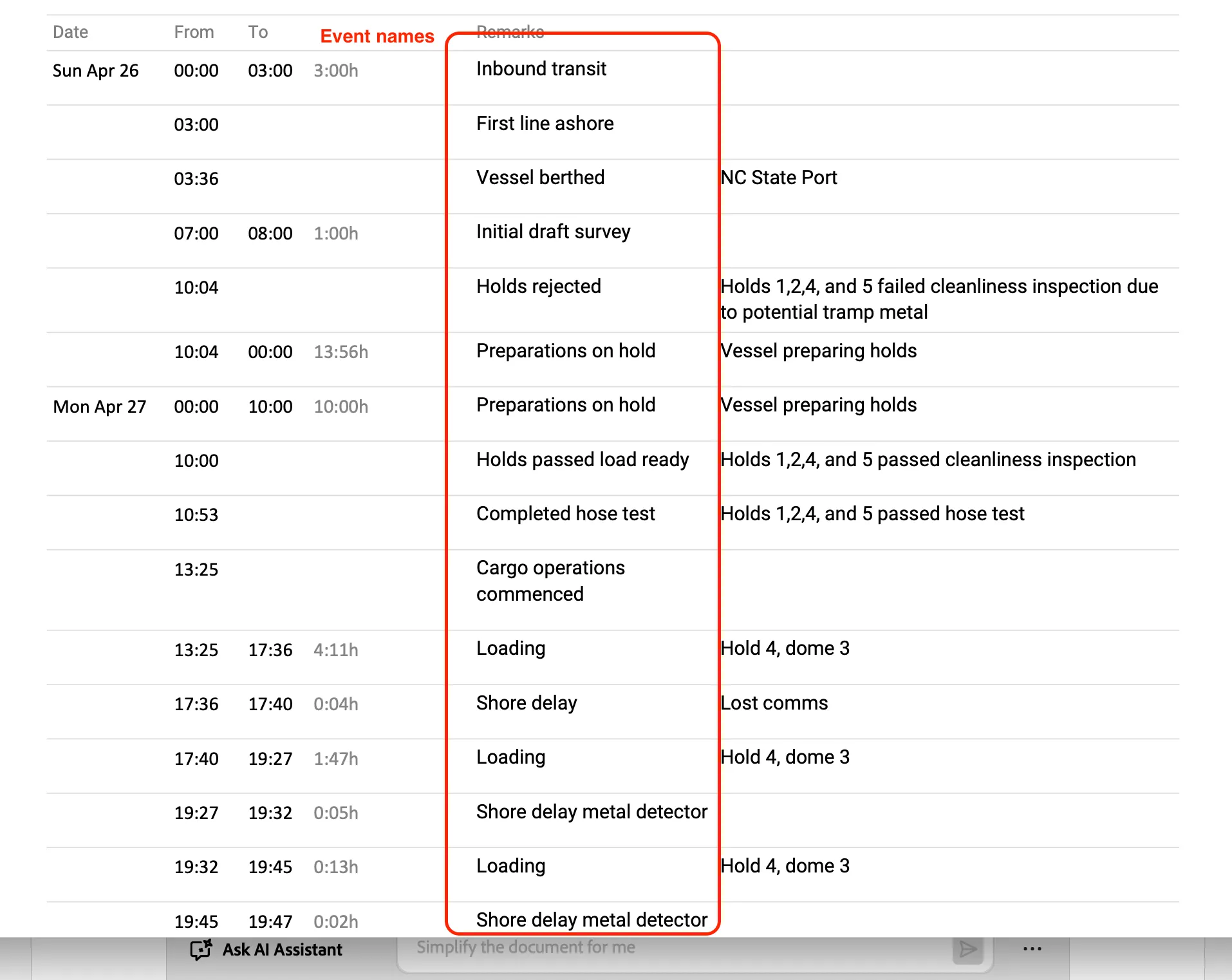
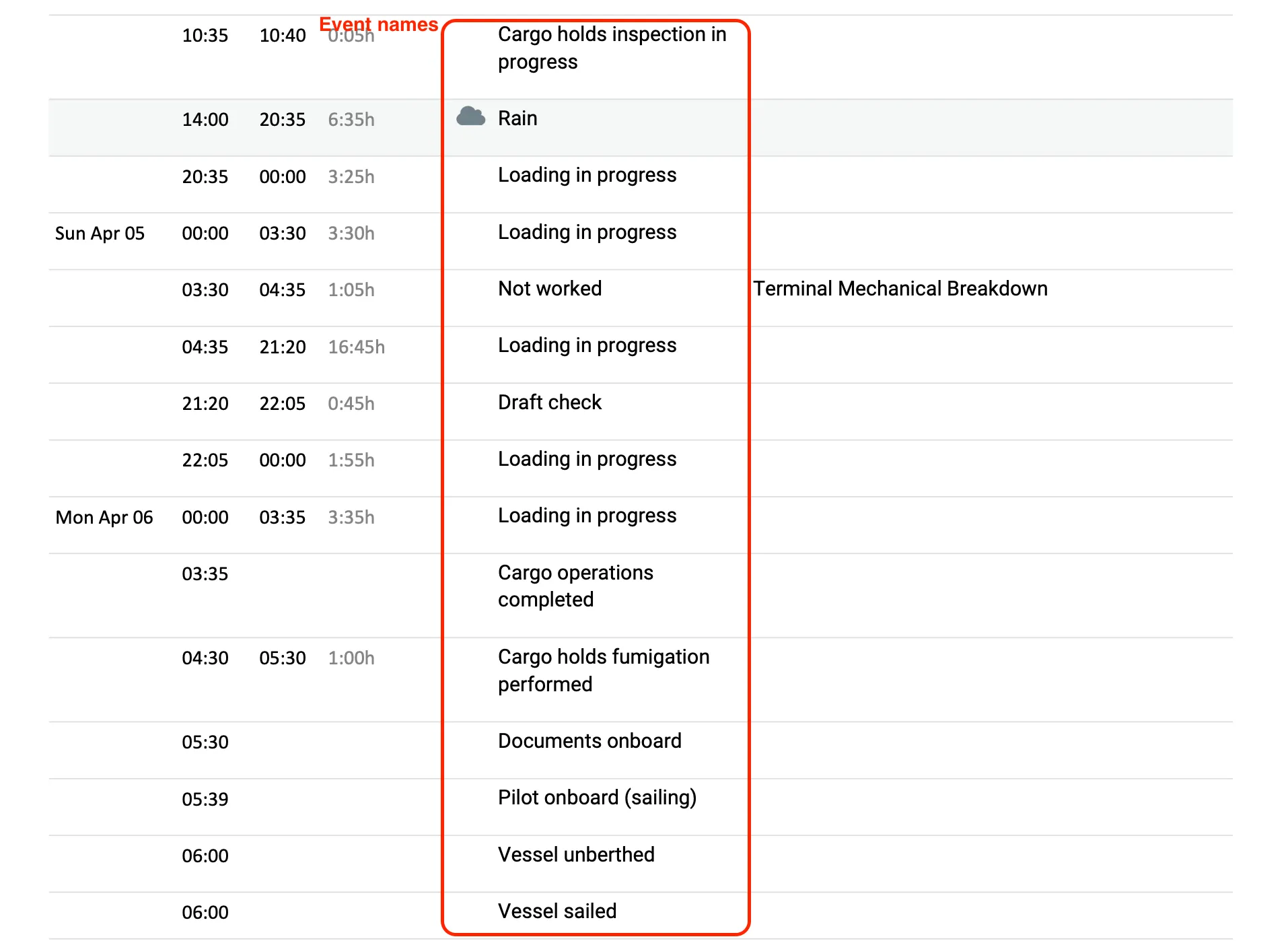
These are snapshots from real SOFs created by agents in Enqlare. Use them for inspiration — see which events others are selecting, how they are structured, and what good entries look like in practice.
Event names highlighted in red are the ones you can search for and select when adding an event in the Port Log.